4× higher close rate
Know what every stakeholder cares about before you join the Teams call.
Salesman AI for Microsoft Teams
Enterprise deals run on Teams: five stakeholders, six meetings, one decision. Salesman AI briefs you before each call, lets you rehearse the toughest buyer and keeps every commitment straight afterwards.
Works with the Teams meetings already on your calendar.
From Teams meetings to deal progress
4× higher close rate
Know what every stakeholder cares about before you join the Teams call.
11% shorter sales cycle
Keep multi-meeting deals moving with confirmed owners, dates and next steps.
1.3× more likely to grow revenue
Give every AE the context to run complex, multi-threaded deals.
Overall Salesman AI outcomes. These figures are not attributed to the Microsoft Teams workflow alone.
The multi-thread problem
By the fourth Teams call, the buying group has grown, the questions have piled up and the context lives in six different recordings. Meeting recaps tell you what was said, not where the deal stands.
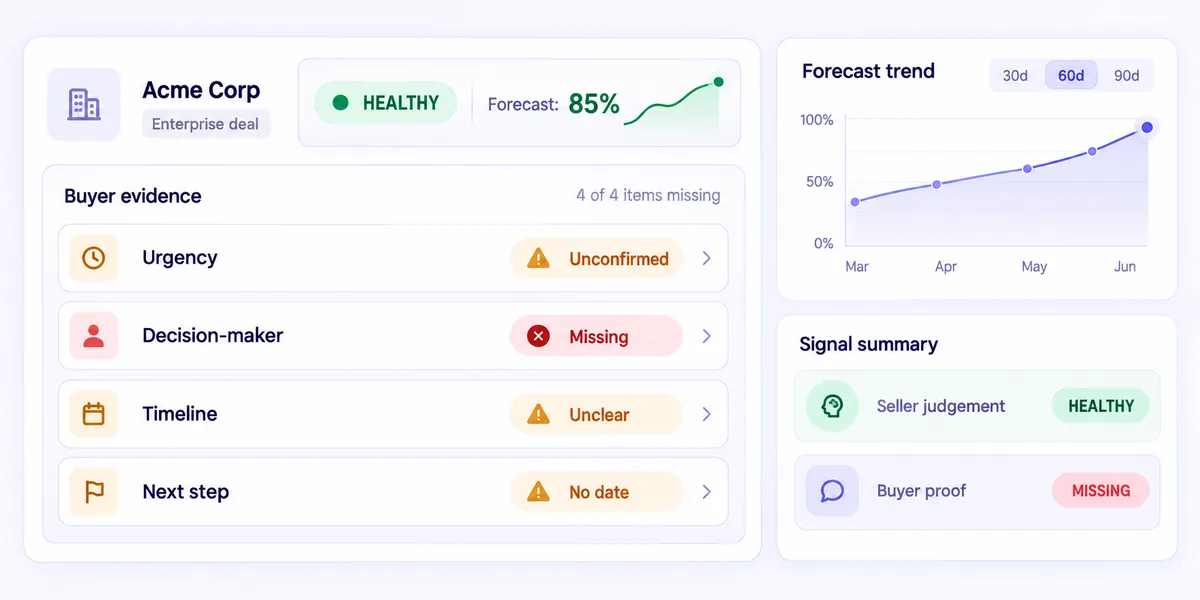
The deal looks on track, but urgency is unconfirmed, the economic buyer hasn't joined and nobody owns the timeline.
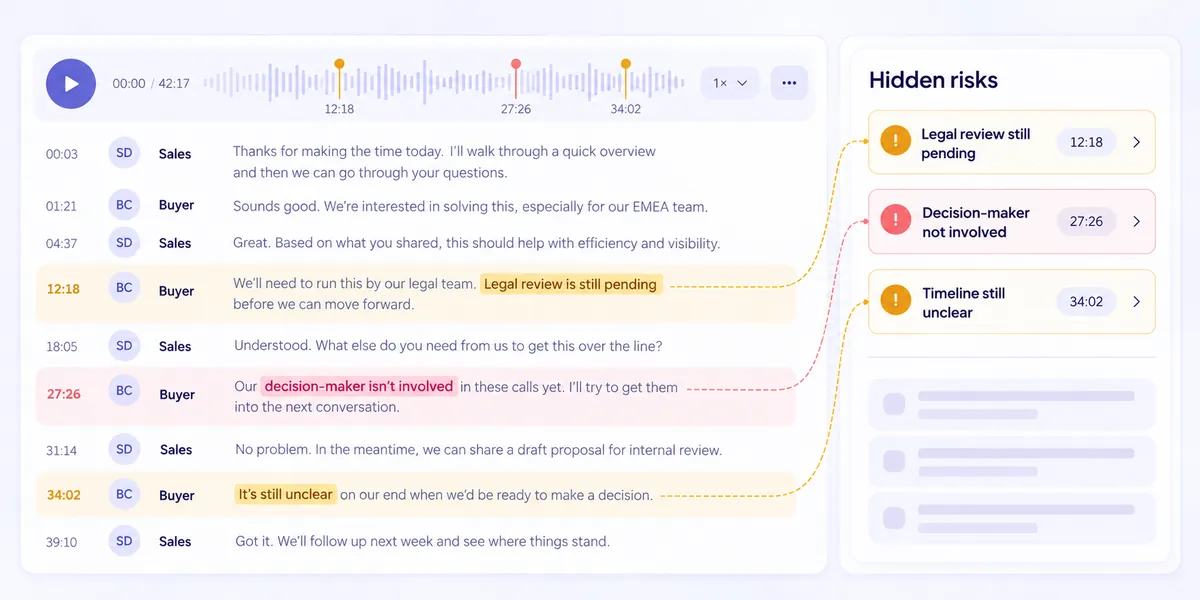
What IT asked for, what procurement needs and what the champion promised are scattered across transcripts.
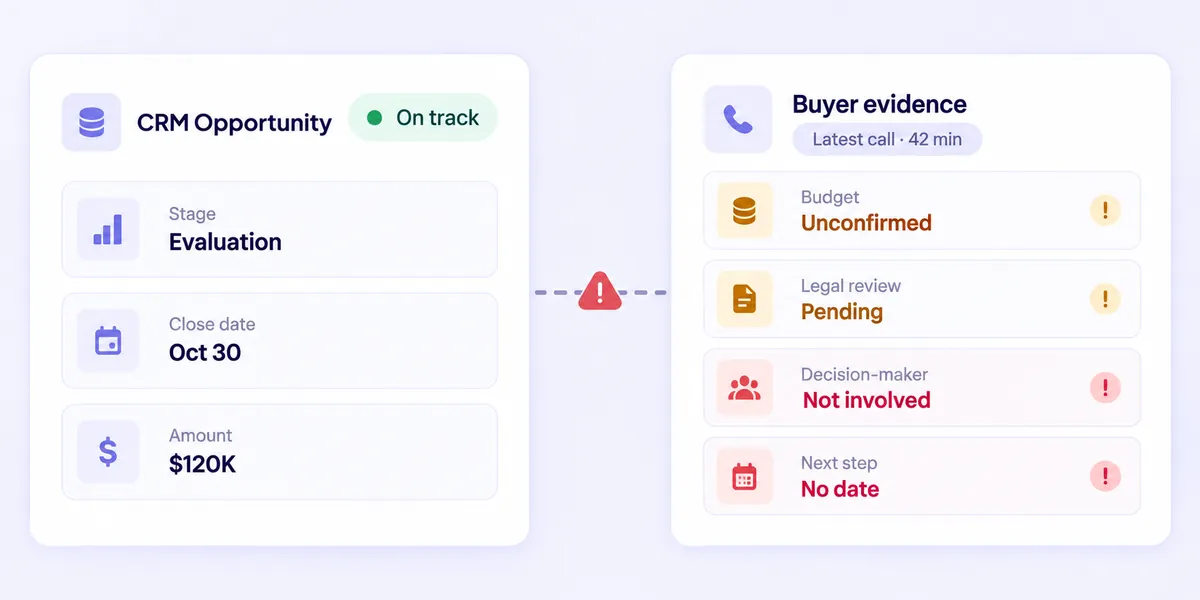
A meeting summary can't tell you which stakeholder is missing or what has to happen before the next call.
How it works on Microsoft Teams
Get the brief and rehearse before you join, run the meeting as usual, then leave every Teams call knowing what each stakeholder confirmed and what comes next.
Step 1 · Before you join
Salesman AI finds the Teams meetings on your calendar and builds a brief on every stakeholder's priorities and open questions. Rehearse the hardest part before you join.
Step 2 · On the Teams call
Salesman AI captures and transcribes the Teams call while you focus on the buying group. Live on-call nudges are coming soon.
Call in progress
Security review · Crestora Labs
Objection captured
“Legal still has to review the data terms.”
Step 3 · FOCUS report
Follow-up, organised notes, the confirmed next step, a self-review and the deal strategy, organised around who said what.
Step 4 · Buying group
Check whether the Teams call confirmed the stakeholders, urgency, commitments and next step the deal needs to progress.
Step 5 · Next move
Every commitment and open question carries into the next brief, so meeting five builds on meetings one to four.
Deal after this call
Crestora Labs
Rep next move
Ask the buyer to confirm the legal review date
Deal overview
Open any opportunity to see each Teams call, FOCUS report, stakeholder, qualification finding, risk and next step in one place.
Ask AI Helper "What did IT ask for on the last call?" and get an answer grounded in every connected meeting.
Built for every Teams call in the deal
Uncover the problem, the impact and who else needs to be in the next meeting.

Rehearse the hard questions before you share your screen with a room of evaluators.

Track requirements, decision criteria and technical concerns across every reviewer.

Practise the procurement squeeze beforehand. Track concessions and approvals afterwards.

See who's aligned, who's missing and whether your champion can carry the deal.

Confirm approvals, signatories, dates and the last actions before the decision.
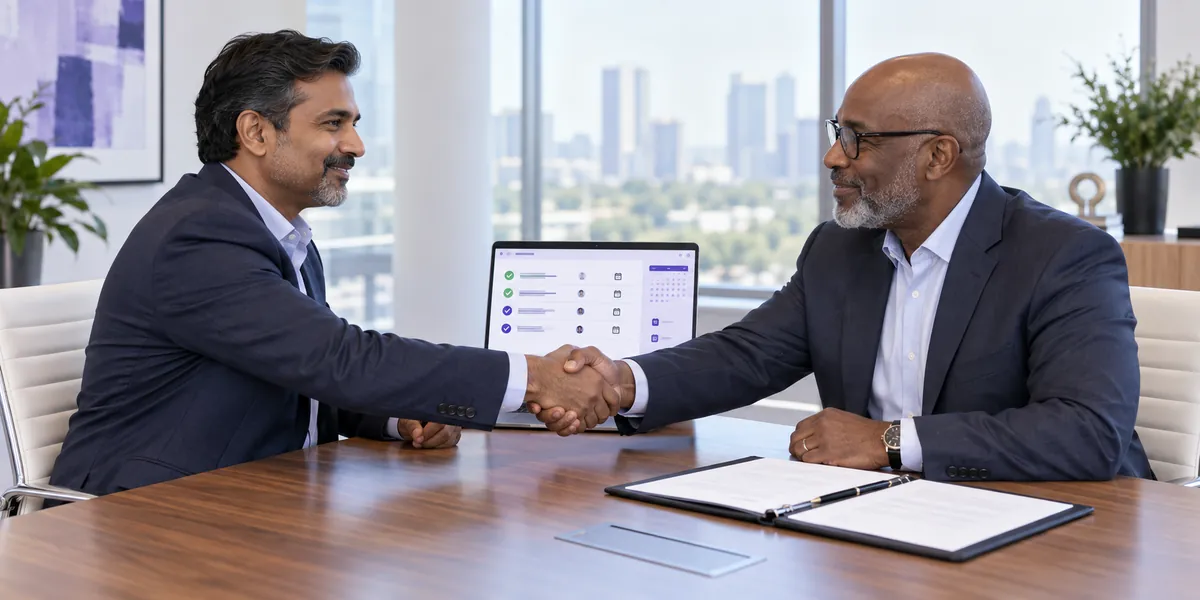
The conversation behind the deal
A security review can sound positive until you notice legal hasn't started. A deal can look qualified until you realise procurement never joined a single call. Salesman AI surfaces what the conversations mean for the opportunity.
Review what each stakeholder confirmed, what is still uncertain and what could stop the deal, right after the call.
More than Teams transcripts
| Built-in meeting recaps | Salesman AI on Microsoft Teams |
|---|---|
| Before the call Nothing until the meeting starts | A brief on stakeholder priorities, objections and DISC cues |
| Practice Not part of the workflow | Rehearse with an AI version of the buyer you're meeting |
| Next step General action items | The agreed action, owner, date and missing commitment |
| Deal risk Up to you to spot | Surfaces Blockers and unresolved concerns from every call |
| Stakeholders A list of who attended | Who joined, what they care about and who's still missing |
| Buying signals Mixed into the recap, if captured | Organises Green Flags from buyer conversations |
| After the call Transcript and summary | FOCUS report: follow-up, next step, self-review and strategy |
| Across meetings Each meeting stands on its own | Connects every Teams call on the deal, with AI Helper on top |
Salesman AI works alongside Microsoft Teams. It uses each conversation to help the account executive prepare, follow through and move complex deals forward.
Before the call: use Pre-Call Notes and AI Rehearsal to prepare for every stakeholder in the room. During the call: stay focused on the buying group while Salesman AI captures the Teams meeting for post-call analysis.
After the call: use the FOCUS report to organise notes, confirm next steps, self-review and plan the deal. Across the deal: use Deal Overview and AI Helper to review every meeting, stakeholder, risk and commitment.
Built for the rep running the deal
Every Teams call adds stakeholders, questions and commitments. Salesman AI keeps them connected so the account executive always knows where the deal stands and what to do next.
Your brief and rehearsal are waiting before the Teams call, built from every meeting so far.
Open the FOCUS report while the conversation is fresh and see what each stakeholder confirmed.
Track the whole buying group, not just the person who booked the meeting.
Start with your next Teams call
Connect your calendar, get the stakeholder brief, rehearse the hard questions and leave with commitments and next steps organised.
FAQ
Yes, built for sales. It captures and summarises your Teams sales calls, but its job is helping the account executive prepare, rehearse and move the deal forward, not just record what was said.
Recaps summarise a single meeting. Salesman AI connects every meeting on a deal, briefs you before the next one, lets you rehearse with an AI version of the buyer and turns each call into commitments, blockers and next steps.
Yes. Salesman AI builds an AI version of the buyer from your deal context, so you can practise discovery questions, security objections and pricing conversations before you join.
Not yet. On-call nudges for objections, missed questions and buying signals are coming soon. Today, Salesman AI supports you before and after every Teams meeting.
Yes. Start free with 500 AI credits and no card. The paid plan is $29 per user per month, or $24 billed annually. Enterprise adds pooled team credits, spend controls and user-level usage visibility, with custom pricing.
Selling on Google Meet too? Salesman AI supports Google Meet calls as well.
Big deals have a lot of meetings
Prepare for every stakeholder, rehearse the hard conversation and turn each call into commitments, risks and confirmed next steps.
Works with the Teams meetings already on your calendar.
Microsoft Teams is a trademark of Microsoft Corporation; Salesman AI is not affiliated with Microsoft.