4× higher close rate
Use buyer signals, objections and commitments to plan clearer actions for each opportunity.
Buyer-evidence-led sales forecasting
Salesman AI turns every customer conversation into deal evidence account executives can use to evaluate risk, confirm commitments and maintain stronger forecast inputs.
Use Salesman AI alongside your existing CRM and forecasting workflow.
From conversations to deal progress
4× higher close rate
Use buyer signals, objections and commitments to plan clearer actions for each opportunity.
11% shorter sales cycle
Keep opportunities moving with confirmed owners, dates and next steps.
1.3× more likely to grow revenue
Give every AE the context and strategy required to progress active deals.
Overall Salesman AI outcomes. These figures are not attributed to the forecasting workflow alone.
The forecast evidence gap
Opportunity stages, close dates and forecast categories reflect what the seller entered. They do not always show whether the buyer confirmed the timeline, involved the right stakeholders or committed to a next step.
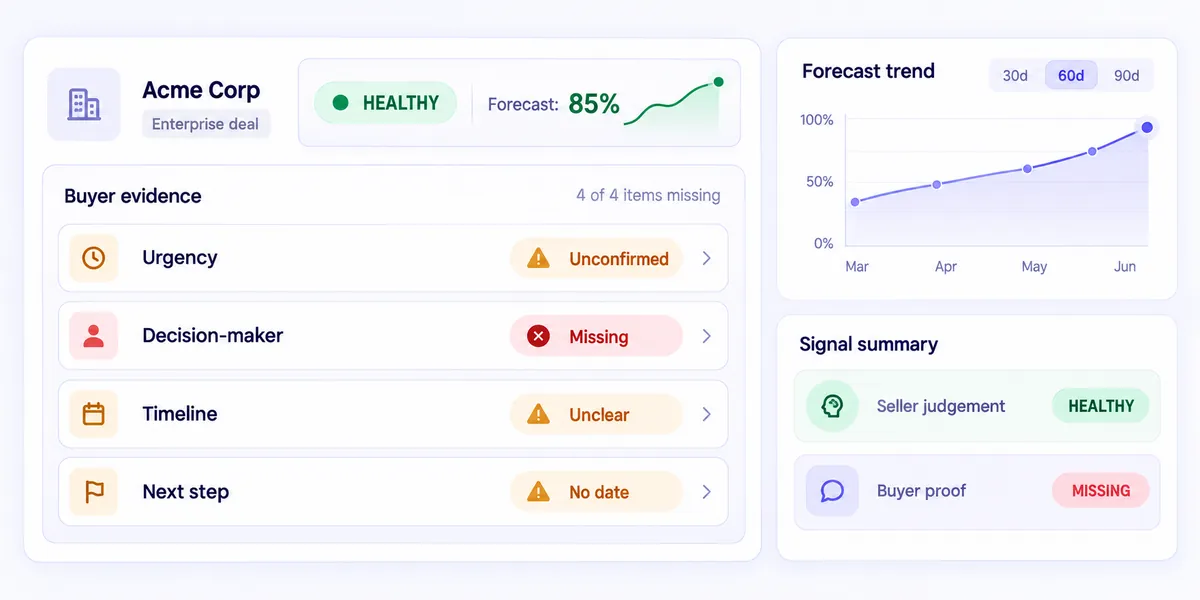
A deal can appear healthy even when urgency, authority, timing or the decision process has not been confirmed by the buyer.
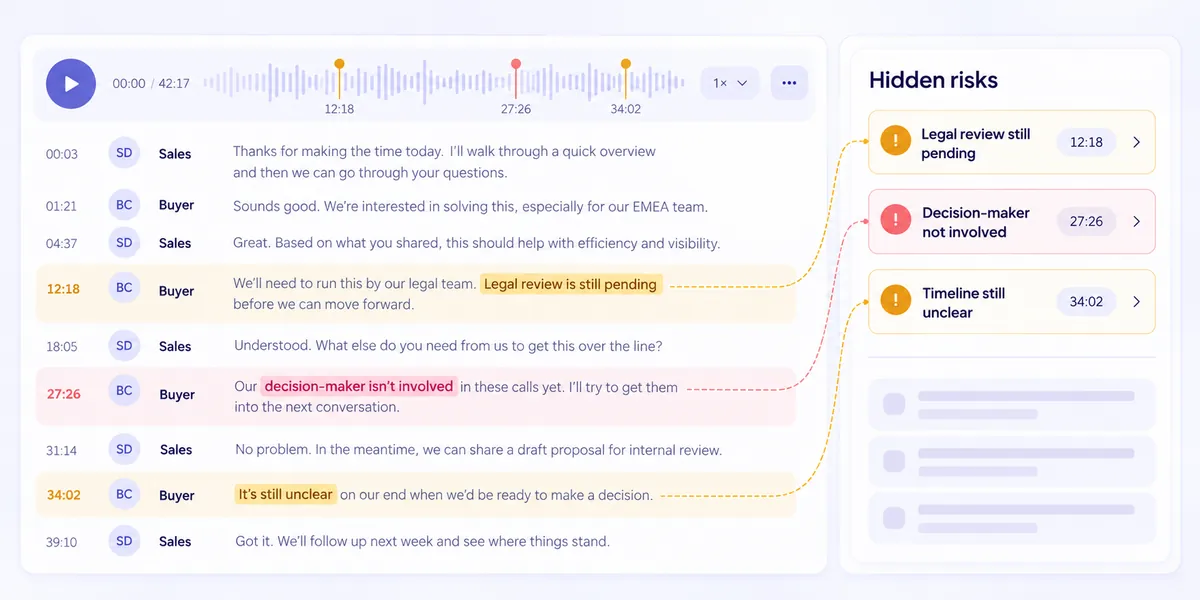
Objections, delayed approvals and missing stakeholders are discussed once and then lost inside a long recording.
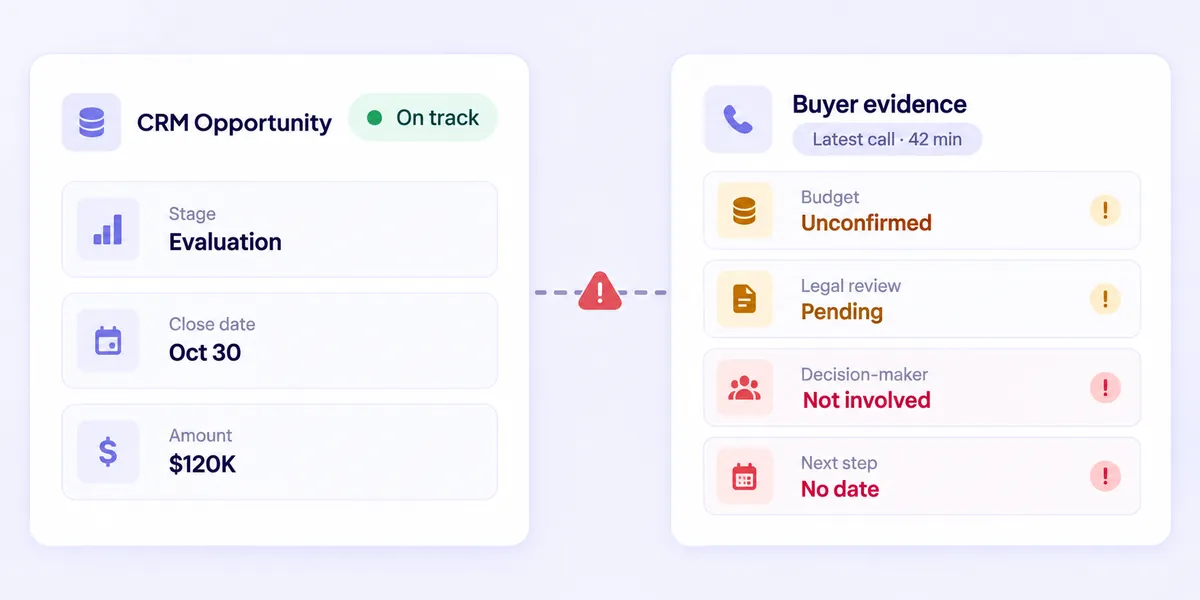
A stage and a close date record a decision. They do not carry the buyer evidence that justifies it.
From sales call to forecast input
Connect the meetings that matter, review what the buyer confirmed and carry that evidence into the opportunity records your team already uses.
Step 1 · Calendar
Choose the customer meetings Salesman AI should support across Google Meet, Zoom or Microsoft Teams.
Step 2 · Sales call
Salesman AI captures and transcribes the conversation while the account executive concentrates on the buyer.
Call in progress
Evaluation call · Crestora Labs
Objection raised
“Legal still has to review the data terms.”
Step 3 · FOCUS report
Review Green Flags, Blockers, qualification findings, buyer priorities and the actions agreed during the meeting.
Step 4 · Buyer evidence
Confirm whether the opportunity has the stakeholders, urgency, commitments and next step required to progress.
Step 5 · Opportunity
Use the evidence from the conversation to maintain stronger CRM fields and forecast inputs in your existing systems.
Opportunity inputs
Crestora Labs
Rep next move
Ask the buyer to confirm the legal review date
Deal overview
Open an individual deal to see its meetings, FOCUS reports, qualification findings, risks, commitments and next steps in one connected view.
Instead of reviewing a forecast field in isolation, the AE can examine the buyer conversations and deal evidence supporting it.
Forecast evidence across the sales cycle
Capture business problems, impact, urgency, stakeholders and unanswered qualification questions.

Review which capabilities mattered, how the buyer responded and whether they agreed to continue evaluating.

Document requirements, decision criteria, technical concerns and competitive risks.
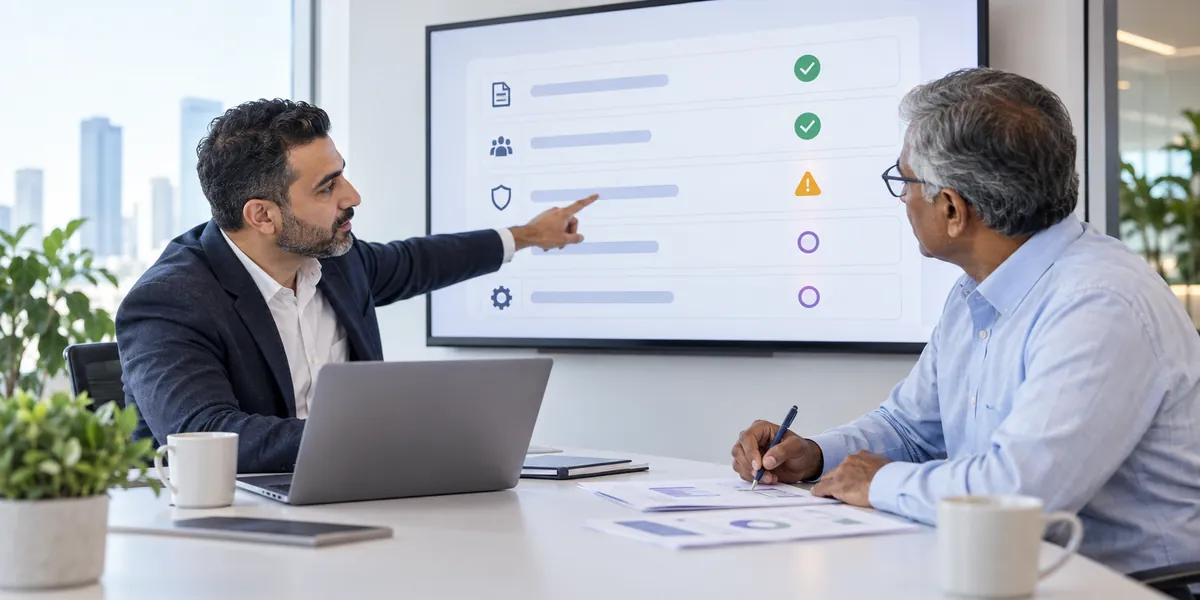
Track commercial objections, approval requirements, concessions and buyer commitments.

Record who participated, their concerns, their influence and which decision-makers are still missing.

Confirm the remaining actions, owners, dates and approvals required to reach a decision.
The conversation behind the forecast
A close date may look firm until the buyer mentions a delayed approval. A deal may appear qualified until an important stakeholder is missing. Salesman AI surfaces the conversation evidence behind these changes.
Review what the buyer confirmed, what remains uncertain and which issues could stop the opportunity from progressing.
More than a forecast field
| Existing CRM and forecast fields | Salesman AI buyer evidence |
|---|---|
| Opportunity stage Selected by the seller | Shows the buyer conversation supporting the stage |
| Close date A date entered in the record | Reveals whether the buyer confirmed the timing |
| Next step Often saved as a short note | Shows the agreed action, owner, date and missing commitment |
| Deal risk Depends on manual updates | Surfaces Blockers and unresolved concerns from calls |
| Stakeholders Contacts associated with the opportunity | Shows participation, concerns, influence and missing roles |
| Buying signals May not be captured consistently | Organises Green Flags from buyer conversations |
| Qualification Manually maintained fields | Shows findings and gaps supported by call context |
| Forecast review Shows where the opportunity is recorded | Helps explain why the opportunity should or should not progress |
Salesman AI does not replace your CRM or corporate forecasting platform. It strengthens the buyer evidence account executives use to maintain those systems.
Before the call: use Pre-Call Notes and AI Rehearsal to prepare around the buyer, opportunity and likely objections. During the call: stay focused on the buyer while Salesman AI captures the supported meeting for post-call analysis.
Built for the rep carrying the forecast
Every customer call leaves evidence behind. Salesman AI organises it so the account executive can review the opportunity, decide the next action and keep the record accurate.
Open the FOCUS report while the customer conversation is still fresh and review what changed in the opportunity.
Evaluate the deal using commitments, objections, stakeholders and next steps discussed during the meeting.
Use the evidence to prepare your next action and maintain stronger opportunity and forecast inputs.
Start with your next call
Connect your calendar, complete the call and review the buyer signals, risks, commitments and next steps behind the opportunity.
FAQ
Sales forecasting software helps sales teams estimate future revenue using pipeline data, opportunity stages, historical performance or forecasting models. Salesman AI supports this process by strengthening the buyer evidence behind individual opportunity and forecast updates.
No. Salesman AI is not a corporate forecasting engine. It helps account executives analyse customer conversations, evaluate deal health and maintain stronger opportunity information inside their existing CRM and forecasting workflow.
Every supported customer meeting becomes a FOCUS report covering follow-up, organized notes, confirmed next steps, self-review and deal strategy. That evidence shows whether the buyer confirmed the timeline, involved the right stakeholders and agreed a real next step.
Salesman AI surfaces Blockers, unresolved concerns, missing stakeholders and weak next steps from the conversation itself, so the account executive can see which opportunities lack the evidence to progress.
No. Salesman AI works alongside your CRM and forecasting platform. It strengthens the buyer evidence account executives use to keep those systems accurate.
Forecast with better evidence
Turn every customer call into visible commitments, risks, qualification findings and confirmed next steps.
Use Salesman AI alongside your existing CRM and forecasting workflow.