Contents
Most AI meeting assistants can record a call, produce a transcript and turn an hour-long meeting into five tidy bullets. That is helpful, but it is not the entire job an account executive needs to complete.
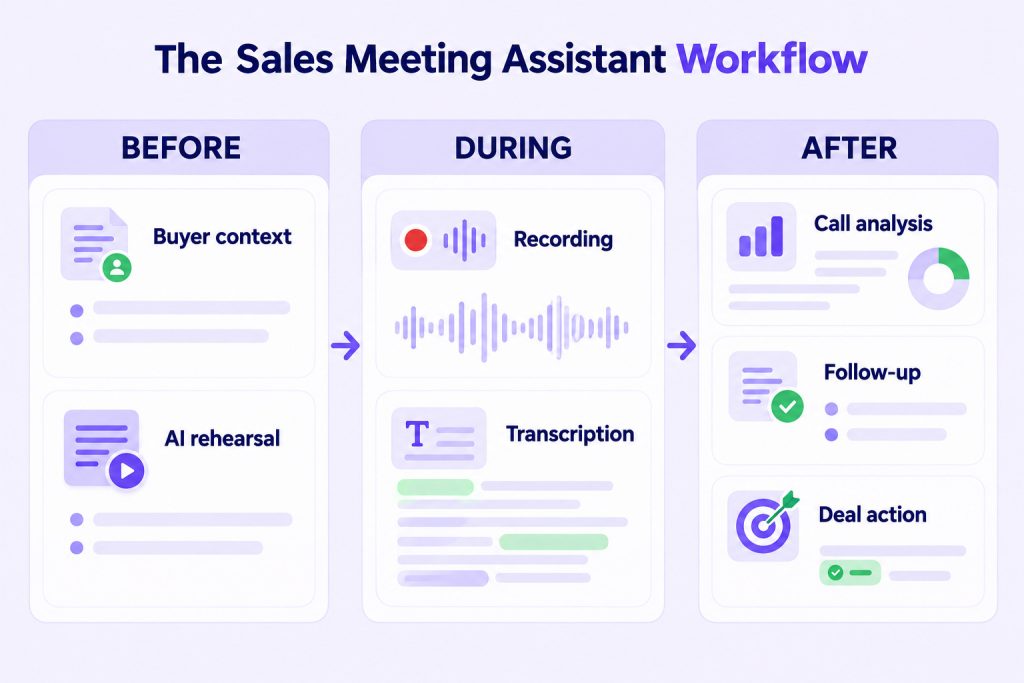
After the summary arrives, you still need to work out what the buyer actually committed to, which objection remains unresolved and whether the deal moved forward. Before the next call, you also need the previous context, a plan for the conversation and a clear view of what must happen next.
That is why the best option for a sales team is not automatically the tool with the fastest transcription. It is the one that makes the conversation useful after the meeting ends.
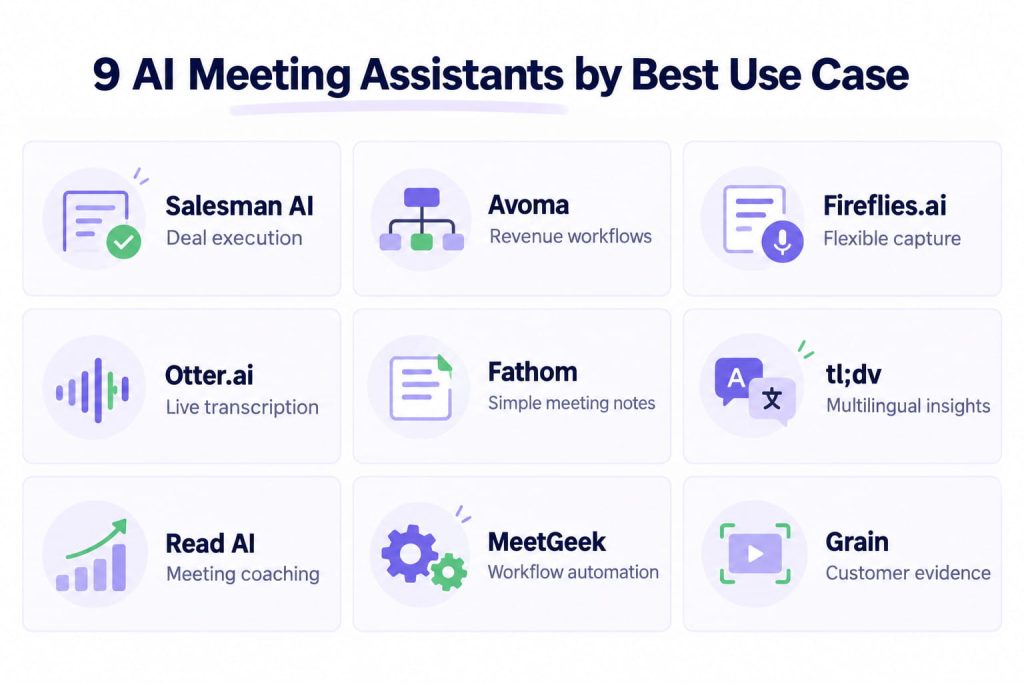
This guide compares nine tools by what they help sales teams do before, during and after customer meetings. It includes general-purpose notetakers, collaborative meeting platforms and sales-specific assistants. The right choice depends on whether your problem is missing notes, scattered meeting knowledge or stalled deals.
TL;DR
Choose Fathom or Otter when straightforward capture is the priority. Consider Fireflies, MeetGeek or Read AI for broader meeting workflows and analytics. Choose Avoma or Grain when collaboration and revenue-team workflows matter. Consider tl;dv for multilingual recording and cross-meeting insights. Choose Salesman AI when account executives need preparation, rehearsal, call analysis and deal-specific next actions in one workflow.
The nine best AI meeting assistants at a glance
| Tool | Best for | Goes beyond notes with | Published starting price* |
|---|---|---|---|
| Salesman AI | AEs managing active opportunities | Pre-call briefs, AI rehearsal, FOCUS reports, Deal Overview and AI Helper | Free trial; Business $29/user/month |
| Avoma | Revenue teams wanting one meeting platform | Scheduling, CRM updates, coaching and optional revenue intelligence | From $19/recorder/month annually |
| Fireflies.ai | Cross-functional teams capturing many meetings | Search, AskFred, topic tracking, workflows and conversation intelligence | Free; Pro from $10/seat/month annually |
| Otter.ai | Live transcription and collaborative notes | AI Chat, meeting workflows, speaker identification and sales notetaking | Free; Pro from $8.33/user/month annually |
| Fathom | Individuals wanting simple, generous capture | Action items, follow-up drafts, clips, playlists and Ask Fathom | Free; paid individual plans from $16/month annually |
| tl;dv | Multilingual teams reviewing many meetings | Topic trackers, multi-meeting insights and sales playbook monitoring | Free plan; paid tiers available |
| Read AI | Teams interested in engagement and coaching | Meeting metrics, coaching, search across workplace content and recommendations | Free; Pro from $15/user/month annually |
| MeetGeek | Teams automating work after meetings | AI agents, workflows, templates and meeting analytics | Free; Pro from $9.99/user/month annually |
| Grain | Revenue teams sharing customer evidence | Clips, playlists, trackers, CRM context and team coaching | Free; paid team plans available |
*Prices are based on vendors' published pages checked in October 2026. Plans, regional offers and included usage can change. Confirm the current price before purchasing.
What should a sales AI meeting assistant do?
A general AI note taker is designed to help you remember a meeting. A sales-focused assistant must help you use that meeting to move an opportunity forward.
At a minimum, evaluate whether the tool can:
- Record supported meeting platforms reliably
- Produce an accurate, speaker-labelled transcript
- Generate structured AI meeting notes and action items
- Identify buyer questions, objections and commitments
- Connect notes with contacts, accounts or opportunities
- Search previous conversations without opening every transcript
- Prepare the AE for the next customer interaction
- Support relevant follow-up and CRM updates
- Make the original evidence easy to verify
- Apply suitable consent, access and retention controls
Recording and summarising are baseline capabilities. The real difference appears in what the platform helps you do next.
How we evaluated the tools
This list is not based on the number of AI features shown on a pricing page. Each product was considered against six practical questions.
| Evaluation area | What we looked for |
|---|---|
| Meeting capture | Supported platforms, recording choices, transcription and language coverage |
| Note quality | Structured summaries, action items, templates and evidence links |
| Sales context | Buyer concerns, deal history, stakeholders, objections and opportunity connection |
| AE workflow | Preparation, rehearsal, follow-up, next actions and CRM support |
| Team use | Search, sharing, coaching, analytics, integrations and administration |
| Buying fit | Best user, limitations, free access and pricing structure |
No single product leads every category. A founder attending a few calls each week has different requirements from a revenue team managing hundreds of active opportunities.
1. Salesman AI: best for account executives moving active deals
Salesman AI is built around the work an account executive completes before and after a sales meeting. It records and analyses supported calls, but the product is not designed merely as a generic AI meeting note taker.
Before a meeting, Pre-Call Notes bring together relevant buyer, company and opportunity context. The AE can use AI Rehearsal to practise the conversation with a customer clone built from the available context.
After the meeting, the FOCUS report structures what happened into areas such as buyer priorities, commitments, Green Flags, Blockers and next steps. Deal Overview maintains the wider opportunity history, while AI Helper lets the AE ask questions about a call, buyer or deal.
Example questions include:
- What did the buyer say about implementation?
- Which objection is still unresolved?
- What did we promise to send?
- How do the priorities of the stakeholders differ?
- What should I address during the next meeting?
Salesman AI also connects with Claude through MCP, allowing Claude to work with the authorised sales context exposed by the integration. This is useful when an AE wants to examine several related conversations without manually pasting every transcript.
Best for: Individual sellers, founders, SDRs and AEs who want meeting intelligence tied to real opportunity work.
Watch-out: Salesman AI is not intended to replace a CRM, prospecting database or enterprise forecasting platform. Teams wanting only a lightweight transcript may not need its broader workflow.
Pricing: Free trial with 500 one-time AI credits. Business costs $29 per user per month and includes 2,000 monthly AI credits. See the current Salesman AI pricing.
2. Avoma: best for revenue teams wanting a broader meeting platform
Avoma combines meeting assistance with scheduling, coaching and optional revenue-intelligence capabilities. Its entry plan includes automatic video recording, real-time transcription, AI summaries, Ask Avoma, AI-generated follow-ups and CRM note syncing.
This breadth makes Avoma suitable for teams that want more than a standalone notetaker but are willing to configure a wider platform. Its recorder-seat model can also be useful when many colleagues need to view meetings without recording them.
Sales teams can extend the base assistant with conversation-intelligence and revenue-intelligence add-ons. This supports use cases such as call scoring, coaching, methodology tracking and deal-risk visibility.
Best for: Revenue organisations that want meeting capture, scheduling, coaching and pipeline-oriented options from one vendor.
Watch-out: The modular structure means the full cost depends on the base plan, recorder seats and required add-ons. A small team should identify which capabilities it genuinely needs before comparing prices.
Pricing: Startup starts at $19 per recorder per month when billed annually. The Organization plan is listed at $29 per recorder per month annually, with additional revenue products priced separately.
3. Fireflies.ai: best for flexible meeting capture across teams
Fireflies.ai is a widely applicable AI meeting assistant for sales, recruiting, marketing, product and internal collaboration. It records calls across common conferencing platforms, supports file uploads and produces transcripts, summaries and action items.
AskFred allows users to ask questions about meetings. Search, topic trackers, soundbites, comments and channels make captured conversations easier to reuse across a team. Higher plans add conversation intelligence, team analytics and stronger administrative controls.
For sales teams, Fireflies can connect meeting records with CRM and workflow tools. It is particularly useful when the immediate problem is capturing a large number of conversations consistently across departments.
Best for: Teams that want flexible transcription, search and automation across several business functions.
Watch-out: Fireflies serves many kinds of meetings. Sales teams should test whether its summaries and workflows provide enough opportunity-specific depth for their sales motion.
Pricing: Free plan available. Pro is listed at $10 per seat per month annually, Business at $19 and Enterprise at $39 annually. Some AI features use monthly credits.
4. Otter.ai: best for live transcription and collaborative notes
Otter.ai is well known for live transcription, speaker identification and collaborative meeting notes. It works with Zoom, Microsoft Teams and Google Meet and also provides desktop and mobile applications.
Otter AI Chat can answer questions within and across meetings. AI meeting workflows, templates and integrations help teams turn transcripts into usable outputs. Its enterprise offering also includes a Sales Notetaker and custom CRM or dialler integrations.
The product is a sensible choice when the team values live access to the transcript and wants a familiar shared note environment.
Best for: Individuals and teams that prioritise live transcription, searchable notes and meeting collaboration.
Watch-out: The lower plans place limits on transcription minutes, meeting length and file imports. Some sales-specific capabilities sit in higher or enterprise plans.
Pricing: Basic is free. Otter lists Pro at $8.33 per user per month annually and Business at $19.99 annually, although regional promotions can affect the displayed price.
5. Fathom: best for individuals wanting simple meeting capture
Fathom offers a particularly generous free plan for individuals, including unlimited recordings and transcriptions, instant AI summaries, clips, playlists and search.
Paid plans add advanced summaries, action items, a conversational assistant and more team functionality. Sales-oriented templates include established frameworks, while integrations can push information into tools such as HubSpot and Salesforce.
Fathom keeps the core experience straightforward. That makes it attractive to an individual AE or founder who wants to stop writing notes without beginning a large software rollout.
Best for: Individual users and small teams wanting fast setup, clear summaries and easy access to meeting highlights.
Watch-out: Teams needing deep opportunity management, multistakeholder context or structured deal guidance may still require another system alongside Fathom.
Pricing: Individual Free is $0. Premium starts at $16 per month annually. The Team plan is listed at $15 per user per month annually with a two-user minimum.
6. tl;dv: best for multilingual teams comparing conversations
tl;dv records and transcribes meetings across Zoom, Google Meet and Microsoft Teams. It combines free meeting capture with features for clips, keyword or topic tracking, multi-meeting analysis and sales playbook monitoring.
The ability to query or report across several conversations is useful when a sales team wants to identify recurring objections, product feedback or competitor mentions instead of reviewing calls individually.
tl;dv is also attractive to globally distributed teams because multilingual capture is central to its positioning.
Best for: Multilingual teams that want to review patterns across meetings and share specific customer moments.
Watch-out: Advanced selling features are distributed across paid tiers. Check the current usage limits for AI requests, reports and integrations rather than judging the plan only by recording limits.
Pricing: A free plan is available. Paid plan pricing and included AI usage should be checked on tl;dv's live pricing page before purchase.
7. Read AI: best for engagement insights and workplace search
Read AI approaches meetings through summaries, live metrics, engagement signals and coaching. Meeting reports include transcripts, topics, questions and action items, while the coaching layer considers areas such as talking speed and filler words.
Ask Read extends search beyond one meeting and can connect information from meetings, email and messaging. This makes Read AI relevant to teams whose meeting knowledge is part of a wider workplace-search problem.
Its real-time dashboard and post-meeting metrics can help users reflect on how meetings are run. Sales leaders should still distinguish presentation metrics from actual buyer progress.
Best for: Teams interested in meeting engagement, personal coaching and search across workplace conversations.
Watch-out: Engagement and sentiment indicators require careful interpretation. A lively meeting can still end without a clear buyer commitment.
Pricing: Free covers five meeting transcripts per month. Pro starts at $15 per user per month annually, while Enterprise is listed at $22.50 annually and requires at least five licences.
8. MeetGeek: best for automating post-meeting workflows
MeetGeek combines transcription and summaries with meeting templates, analytics, integrations and automation. It supports bot and bot-free recording, audio or video uploads and more than 100 transcription languages.
Paid plans introduce AI agents, agentic workflows and integrations with tools such as Zapier, Make and n8n. This makes MeetGeek useful when a team wants meeting outputs to trigger work elsewhere rather than remain inside a transcript library.
Team plans add shared spaces, comments, HD video, analytics and controls over recording and sharing.
Best for: Teams that want to automate follow-up processes and route meeting information into other systems.
Watch-out: Automation creates value only when the destination workflow is well designed. Avoid pushing unverified AI outputs directly into high-impact CRM fields.
Pricing: Basic is free. MeetGeek lists Pro at $9.99 per user per month annually and Business at $17 annually. Monthly pricing is higher.
9. Grain: best for sharing customer evidence across revenue teams
Grain helps revenue teams record conversations, generate AI notes and turn important moments into clips and playlists. These assets make buyer evidence easier to share with product, customer success or leadership without asking everyone to watch a full recording.
Custom note templates and trackers allow teams to structure summaries around their own sales process. Business plans add coaching, custom follow-up emails and team interaction insights. Grain also supports CRM-related context and an MCP connection for authorised meeting data.
This makes Grain a useful choice when the primary problem is not taking notes but distributing customer evidence across the organisation.
Best for: Revenue teams that want collaborative call libraries, shareable clips and structured customer evidence.
Watch-out: Grain is strongest as a collaborative meeting layer. An AE who needs dedicated pre-call preparation and opportunity-specific rehearsal may require an additional workflow.
Pricing: Grain offers a free plan and paid Starter, Business and Enterprise options. Confirm current per-seat pricing on its live pricing page because plan presentation and included usage can change.
Which AI meeting assistant is right for your sales team?
Start with the problem you are trying to solve, not the longest feature list.
| If your priority is... | Start by evaluating... |
|---|---|
| Preparing for active buyer meetings and progressing deals | Salesman AI |
| Combining scheduling, recording and revenue-team modules | Avoma |
| Capturing meetings across several departments | Fireflies.ai |
| Live transcription and collaborative notes | Otter.ai |
| A simple individual experience with generous free capture | Fathom |
| Multilingual recording and cross-meeting patterns | tl;dv |
| Engagement metrics, coaching and workplace search | Read AI |
| Automating outputs and downstream workflows | MeetGeek |
| Sharing clips and customer evidence internally | Grain |
A free plan can show whether transcription quality and the basic user experience are acceptable. It cannot always show how well the platform works once several sellers, accounts and integrations are involved.
Before committing, test each shortlisted tool with real sales workflows:
- Record a discovery call with consent.
- Check whether the transcript correctly identifies speakers and key terminology.
- Compare the summary with what the buyer actually said.
- Find an unresolved objection without reading the complete transcript.
- Prepare for the next meeting using the previous conversation.
- Draft a follow-up containing the correct owners and deadlines.
- Confirm what reaches the CRM and who can access the recording.
The best evaluation is not “Did it take good notes?” It is “Did it reduce the work required to move this deal forward?”
AI note taker versus a sales-specific assistant
The distinction is not that one category uses AI and the other does not. It is the job each product is designed to complete.
| Generic AI note taker | Sales-specific assistant |
|---|---|
| Captures what happened in one meeting | Connects the meeting with the opportunity |
| Produces notes and action items | Identifies buyer commitments, risks and next actions |
| Helps any knowledge worker remember | Helps an AE prepare, follow up and progress a deal |
| Organises meeting records | Maintains buyer and deal context across conversations |
| May sync notes to a CRM | Uses relevant CRM and conversation context in the workflow |
Neither approach is universally better. A consultant, recruiter or internal project manager may only need reliable notes. An account executive working across a multi-meeting buying process has a different problem.
When the buyer's concerns are spread across discovery, demonstration, security and pricing calls, a clean summary of the latest meeting can still leave the AE without the full story.
Frequently asked questions
What is an AI meeting assistant?
An AI meeting assistant records or processes meetings and uses AI to produce outputs such as transcripts, summaries, action items, search results or workflow updates. Capabilities vary from basic notetaking to sales coaching and deal support.
What is the best AI note taker for sales teams?
The best product depends on the team's problem. Fathom and Otter are accessible choices for straightforward capture. Fireflies and MeetGeek suit broad meeting workflows. Avoma and Grain support wider revenue-team collaboration. Salesman AI is designed for AEs who need preparation, rehearsal, post-call analysis and deal-specific guidance.
Can an AI meeting note taker update a CRM?
Many products can sync notes, summaries or extracted fields with supported CRMs. Teams should verify which objects and fields are supported and require human review for high-impact changes such as opportunity stage, value or close date.
Are AI meeting assistants allowed to record customer calls?
Recording and consent requirements depend on the location, participants and company policy. Configure consent notifications appropriately and make sure everyone understands when recording or transcription is active.
What is the difference between meeting transcription software and an AI meeting assistant?
meeting transcription software primarily converts spoken conversation into text. An AI meeting assistant may also summarise the meeting, answer questions, identify actions, connect other tools or help users prepare and follow up.
Do sales teams still need a CRM?
Yes. An AI meeting assistant normally complements the CRM rather than replacing it. The CRM remains the system of record for accounts, contacts and opportunities, while the assistant captures and interprets meeting context.
Can a free AI note-taking app support an entire sales team?
It may be enough for individual testing or light usage. Teams often need paid features for administration, integrations, longer retention, security, shared workspaces and analysis across multiple sellers.
Choose the tool based on the work after the meeting
Transcription has become a standard feature. Summaries are becoming standard too. That makes it less useful to compare products only by whether they can create AI meeting notes.
For sales teams, the harder questions begin after the notes arrive. What changed in the buyer's priorities? Which promise is still outstanding? Is the next step specific? What should the AE do before speaking with the customer again?
Some teams need a dependable record of every meeting. Others need searchable organisational memory. Account executives working active opportunities need context they can use before the next buyer interaction.
Choose the tool that solves the next part of your workflow, not only the easiest part to automate.