Contents
Most sales dashboards show what happened.
Revenue, quota attainment, pipeline coverage, and conversion rates are some of the common metrics that sales dashboards track.
Although these numbers provide an understanding of what has occurred in your business, they often fail to explain why it occurred.
Was there a decline in win rate due to objection issues within the sales team? Was a deal stalling because key decision-makers were absent from meetings? Is incomplete CRM data making your reports unreliable?
This is where sales performance analytics tools comes in.
sales performance analytics tools links outcomes to the activities, conversations, and buyer signals that drove them.
As a result, managers can identify performance gaps earlier. Reps can also see what changes they need to make so another deal is not lost.
We evaluated 10 different sales analytics tools across reporting, coaching, conversation intelligence, forecasting, and ease of use.
.
TL;DR: The 10 best sales performance analytics tools
| Tool | Best for | Main analytics strength |
|---|---|---|
| Salesman AI | Account executives improving active deals | Pre-call preparation, rehearsal, and post-call intelligence |
| Gong | Enterprise teams analyzing conversations at scale | Conversation intelligence and sales coaching |
| Clari | Revenue leaders managing complex pipelines | Forecasting and pipeline analysis |
| Salesforce Sales Cloud | Organizations already using Salesforce | CRM sales analytics and revenue reporting |
| HubSpot Sales Hub | Growing teams that need accessible reporting | Pipeline, activity, and rep-performance reporting |
| Outreach | High-volume outbound teams | Sequence, activity, and execution analytics |
| Salesloft | Teams connecting engagement with coaching | Cadence, conversation, and seller analytics |
| Avoma | SMB and mid-market sales teams | Call scoring and meeting analytics |
| Backstory | Teams with incomplete CRM activity data | Activity capture, deal intelligence, and forecasting |
| Tableau | Data-mature organizations | Custom sales data visualization |
The best platform will depend upon which problem you are trying to resolve.
For example; Clari and Salesforce have a strong emphasis on pipeline (revenue performance analytics).
Gong and Avoma have an emphasis on conversations (coaching) while Salesman Ai is focused on helping each individual sales rep develop their skills prior to and following real-time interactions with actual buyers.
Buyers should therefore treat none of the 10 platforms as equivalent.
What is sales performance analytics?
The main objective of sales performance analytics is to provide an in-depth review of all sales activity. It helps teams understand whether their efforts are converting into dollars.
However, it goes beyond end-of-period reporting on final results.
For example, a sales report may indicate that a rep has met or exceeded 80% of their quota. An appropriate sales performance analysis would also identify why the rep did not meet 100%. In addition, it would provide recommendations to improve performance.
What data does sales performance analytics use?
A useful analysis combines several types of sales data:
- Outcome data: Revenue, quota attainment, win rate, and average deal size
- Pipeline data: Stage conversion, pipeline coverage, deal velocity, and slippage
- Activity data: Calls, emails, meetings, and follow-up frequency
- Conversation data: Questions, objections, buyer participation, and next steps
- Skill data: Discovery, qualification, product knowledge, and objection handling
- Buyer data: Stakeholder engagement, sentiment, risks, and purchase intent
sales data analytics becomes more useful when these sources connect.
For example, a CRM may show that an opportunity has been open for 60 days. Conversation data may explain that the rep has not spoken to the economic buyer.
Therefore, sales performance analytics software should answer three questions:
- What happened?
- Why did it happen?
- What should the rep or manager do next?
A basic dashboard answers the first question. In contrast, advanced sales analytics tools should help answer all three.
What are the main types of sales analytics software?
sales analytics software falls into several categories.
Some platforms focus on revenue and pipeline data. Others analyze sales conversations, rep activity, or coaching performance.
Understanding these categories makes it easier to create a useful shortlist.
CRM sales analytics
CRM sales analytics tracks leads, opportunities, pipeline movement, revenue, and rep activity.
Salesforce and HubSpot fall into this category. These platforms work well when the CRM already contains complete and reliable data.
However, CRM reports depend on what reps enter. Therefore, incomplete records can weaken the analysis.
Conversation and call analytics
Conversation analytics software records and analyzes sales calls.
These platforms can track questions, objections, talk patterns, buyer participation, and next steps. Gong and Avoma are common examples.
call analytics can also reveal why some reps convert more meetings than others.
revenue performance analytics
revenue performance analytics connects pipeline, forecasts, deal risks, and historical trends.
Clari and Backstory focus heavily on these areas. As a result, they are useful for sales leaders and RevOps teams.
sales productivity analytics
sales productivity analytics examines how reps spend their time and which activities create results.
For example, Outreach and Salesloft connect emails, calls, sequences, meetings, and pipeline outcomes. Managers can then identify which activities move deals forward.
Business intelligence and sales data visualization
Business intelligence platforms turn data from several systems into custom dashboards.
Tableau is a strong example. However, teams need clean data and analytics expertise to build useful reports.
How we evaluated the best sales analytics tools
sales performance analytics is a broad category.
For instance, a CRM dashboard, conversation intelligence platform, and forecasting tool may all analyze performance. However, they study it from different angles.
We used the following six criteria to compare the tools fairly.
1. Depth of performance analytics
First, we examined the data each platform analyzes.
Some tools focus mainly on revenue and pipeline. Others analyze calls, rep behaviour, or buyer engagement.
The strongest platforms connect several data types.
2. Actionability
Next, we looked at what happens after the platform finds an insight.
Does the tool recommend a next action? Or does it leave the manager to interpret another dashboard?
Useful analytics should make the next decision clearer.
3. Rep-level usefulness
Some platforms primarily serve sales leaders and RevOps teams.
Others help individual reps prepare for meetings, review calls, and progress opportunities. Therefore, we considered how often a rep could use each product directly.
4. Coaching capabilities
We also reviewed each platform’s coaching features.
These may include call scoring, skill-gap detection, role-play, talk-pattern analysis, or examples from successful reps.
5. Data and integrations
Accurate analysis depends on accurate data.
Therefore, we considered whether each tool could connect calls, calendars, emails, and CRM records. We also looked at how much manual data entry it required.
6. Ease of adoption
Finally, we considered the work required before a team receives value.
Some performance analytics tools work with minimal setup. Others need clean CRM data, custom dashboards, or dedicated administrators.
sales performance analytics software compared
| Tool | Conversation analytics | Pipeline analytics | Rep coaching | Custom reporting | Pricing approach |
|---|---|---|---|---|---|
| Salesman AI | Strong | Moderate | Strong | Moderate | Free trial and paid plan |
| Gong | Strong | Strong | Strong | Strong | Custom pricing |
| Clari | Moderate | Strong | Moderate | Strong | Custom pricing |
| Salesforce Sales Cloud | Moderate | Strong | Moderate | Strong | Tiered per-user plans |
| HubSpot Sales Hub | Moderate | Strong | Moderate | Strong | Free and tiered plans |
| Outreach | Strong | Strong | Strong | Strong | Custom pricing |
| Salesloft | Strong | Strong | Strong | Strong | Custom pricing |
| Avoma | Strong | Moderate | Strong | Moderate | Tiered plans |
| Backstory | Strong | Strong | Moderate | Strong | Custom pricing |
| Tableau | Limited natively | Strong with connected data | Limited natively | Strong | Tiered plans |
Features, pricing, and product packaging can change. Therefore, confirm the latest details with each vendor.
The 10 best sales performance analytics tools in 2026
1. Salesman AI: Best for improving performance around real deals

Most salesforce automation tools (sales analytics tools) start after a sales representative has completed their call with the client. The representative will document all the actions taken during this time. The conversation will then be scored, and the results will be sent to a manager.
However, by the time the manager has access to this information, there may be no way to make changes that support closing the transaction.
How Salesman AI creates connections
Salesman AI creates connections between what occurs before a buyer meeting and what occurs afterward. It allows managers to use the same buyer, meeting, and opportunity information throughout the entire workflow.
How Salesman AI works
Before a call, a representative receives a quick buyer brief. This brief provides the buyer’s priorities, potential objections, DISC-based communication cues, and meeting objectives.
Next, the representative can develop an AI version of the customer. Once created, representatives can practise their conversation and possible objections using an AI role-play.
Following the actual buyer meeting, Salesman AI analyzes the conversation through its FOCUS Report. Additionally, Salesman AI identifies risks, commitments, and next steps from the meeting.
Finally, AI Helper enables representatives to ask questions about connected meetings and deals. For example, they can ask what is impeding progress in an opportunity.
Key features
- DISC-Based Pre-Call Notes
- AI Role-Play Based on an Upcoming Buyer
- Call Recording and Transcription
- Role-Play and Call Scorecards
- Post-Meeting Analysis and Recommendations
- AI Helper Grounded in Meeting and Deal Context
- Private On-Call Nudges Planned as an Upcoming Feature
Best for
Salesman AI is best for Account Executives looking to better understand how to handle the deals they currently have active.
Limitations
Salesman AI was developed specifically for account executives. Therefore, it does not provide Territory Planning or Compensation Management functionality.
Teams requiring advanced Forecasting capabilities may still need a CRM System or Revenue Platform System alongside Salesman AI.
Verdict
Use Salesman AI if your primary objective is not simply measuring Reps. Instead, use it to enable them to Prepare, Practise, and Advance Deals.
2. Gong: Best for enterprise conversation intelligence
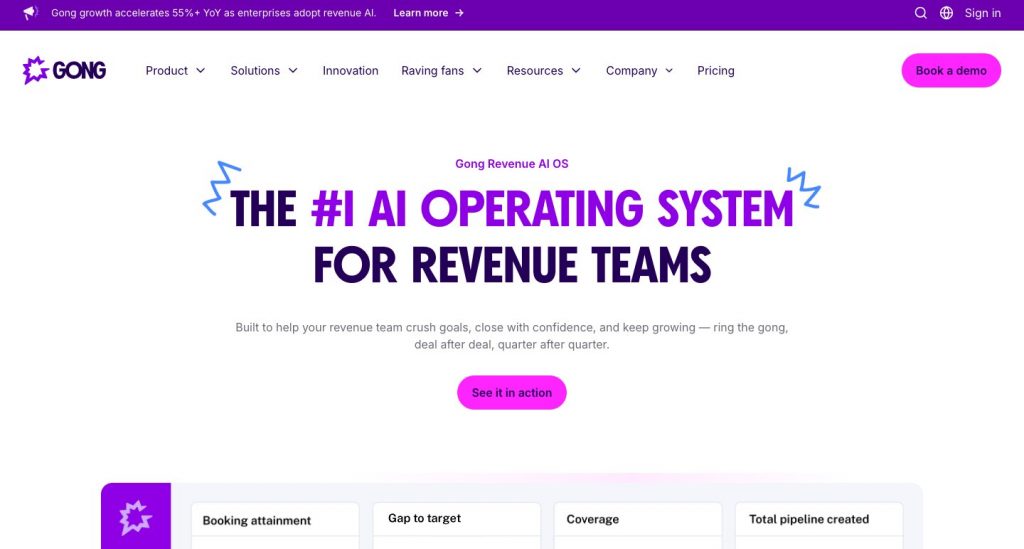
Gong captures customer interactions to analyze buyer behaviour during conversations.
The system allows managers to see how representatives handle the discovery, objection, and closing phases. In addition, it connects conversation information with deal and pipeline indicators.
How Gong works
Gong captures and transcribes customer conversations, including calls and meetings.
Next, its artificial intelligence identifies topics, questions, objections, and buyer engagement patterns. Therefore, managers can see patterns across multiple conversations.
Gong also provides tools for deal monitoring and forecasting. As a result, teams can connect representative behaviour with revenue outcomes.
Key features
- Call Recording and Transcription
- Topic and Talk-Pattern Tracking
- AI-Assisted Call Review
- Coaching Scorecards
- Deal-Risk Signals
- Forecasting and Revenue Analytics
Best for
Gong is best suited for large sales organizations that require Conversation Intelligence on a large scale.
Limitations
Small teams may not require all the functionality that Gong provides. In addition, its rollout process may be more extensive than implementing a basic Meeting Analytics Tool.
Verdict
Gong is a good solution for enterprises looking for a high-level view of calls, reps, and deals.
3. Clari: Best for forecasting and pipeline analysis

Clari’s goal is to provide predictable revenue.
It gives managers insight into how their pipeline is changing. It also identifies risks and allows them to create a forecast.
Therefore, Clari has a very different application from a coach-based sales training tool focused on reps.
How Clari works
Clari uses a combination of CRM data and activity or engagement-based signals.
Managers can view pipeline coverage, stage movement, forecast categories, and deal slippage. For example, forecast categories may include closed-won and closed-lost deals.
Additionally, managers can compare their current performance with past trends.
As a result, revenue teams can identify deals that may not close by the predicted date.
Key features
- Pipeline Inspection
- Forecast Management
- Deal-Risk Identification
- sales trend analysis
- Opportunity Visibility
- Revenue Workflow Management
Best for
Clari is ideal for enterprise revenue leaders and RevOps teams with complex pipelines.
Limitations
Clari primarily focuses on forecasting revenue and identifying deal risks. In contrast, it does not focus on developing reps through practice or preparing them for calls.
Therefore, you may need another product for role-play and other skill-building exercises.
Verdict
Choose Clari when your main question is, “Will we hit the number, and which deals put it at risk?”
4. Salesforce Sales Cloud: Best for CRM sales analytics

Salesforce Sales Cloud provides reports, dashboards, forecasting, and revenue intelligence inside the CRM.
Its main advantage is consolidation. Organizations can analyze sales performance without moving their core CRM data into a separate platform.
How Salesforce Sales Cloud works
Teams can track lead volume, pipeline, win rates, deal size, and time to close.
In addition, users can move from a high-level dashboard into the opportunities behind each metric.
Salesforce also supports custom reports. Therefore, companies can adapt the analysis to their sales process.
Key features
- Custom reports and dashboards
- CRM sales analytics
- Pipeline and opportunity tracking
- Forecasting
- Quota and rep-performance reporting
- AI-powered insights and automation
Best for
Salesforce Sales Cloud is best for organizations that already use Salesforce as their system of record.
Limitations
The quality of the analysis depends on the quality of the CRM data.
For example, incomplete opportunity fields can produce misleading reports. Teams may also need experienced administrators.
Verdict
Salesforce provides a strong base for sales data analytics. However, teams need clean data and thoughtful configuration.
5. HubSpot Sales Hub: Best for accessible sales reporting

HubSpot Sales Hub combines CRM, pipeline management, activity tracking, and reporting.
It offers an accessible starting point for smaller teams. In addition, it includes several reports that work without extensive configuration.
How HubSpot Sales Hub works
HubSpot provides pre-built reports for forecasts, prospecting activity, and sales outcomes.
Users can also create custom reports using CRM data. Therefore, managers can study pipeline health, team performance, activities, and conversion rates.
Key features
- Pre-built sales reports
- Custom report builder
- Pipeline and deal analytics
- Prospecting reports
- Forecasting
- Sales content analytics
Best for
HubSpot is best for startups and growing teams already using HubSpot CRM.
Limitations
Larger organizations may need more advanced data models. Moreover, some reporting features require higher subscription tiers.
Verdict
HubSpot offers one of the easiest routes from basic CRM data to useful sales performance reporting.
6. Outreach: Best for sales productivity analytics

Outreach connects prospecting, engagement, deal management, forecasting, and coaching.
Its analytics focus heavily on sales execution. Therefore, it can help leaders understand whether reps complete the activities required to create pipeline.
How Outreach works
Outreach tracks emails, calls, meetings, sequences, and prospect engagement.
Managers can compare these activities with pipeline outcomes. For example, they can identify a sequence that creates activity but fails to produce qualified meetings.
In addition, Outreach provides conversation and deal insights.
Key features
- Sequence analytics
- Sales activity reporting
- sales productivity analytics
- Prospect engagement tracking
- Conversation intelligence
- Deal and forecast analytics
Best for
Outreach is best for SDR and outbound teams managing high volumes of activity.
Limitations
Low-volume sales teams may not require a full engagement platform. In contrast, structured outbound teams can gain more value from its execution data.
Verdict
Choose Outreach when performance depends on consistent prospecting across a large team.
7. Salesloft: Best for connecting engagement with coaching
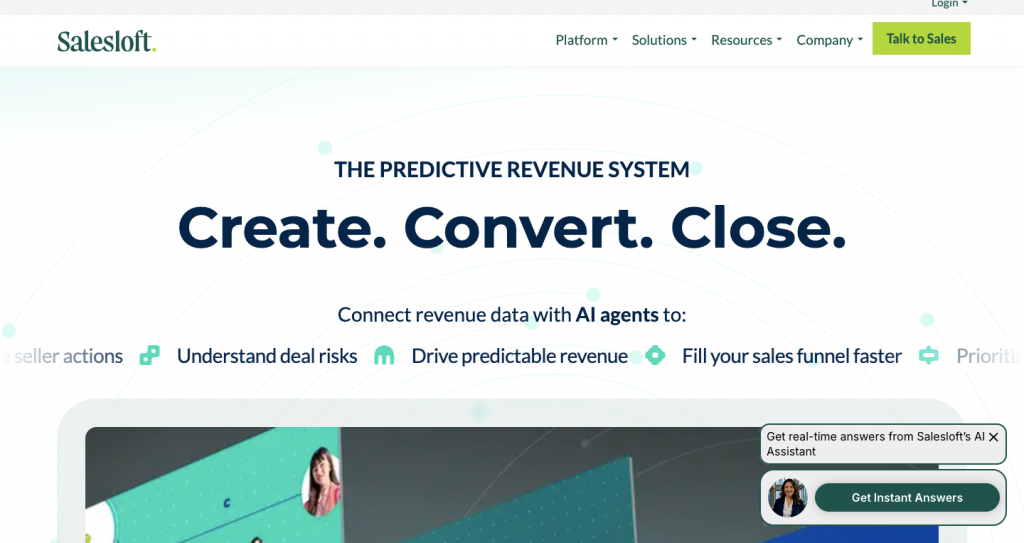
Salesloft combines sales engagement, conversation intelligence, deal workflows, and coaching.
As a result, managers can study both what reps do and how they communicate.
How Salesloft works
Salesloft tracks seller activities, meetings, pipeline, and opportunities.
Its coaching features use call insights and scorecards to identify improvement areas. Meanwhile, seller dashboards allow reps to review their own performance.
Managers can also create playlists of successful call moments. Therefore, teams can reuse examples from top performers.
Key features
- Cadence and activity analytics
- Conversation intelligence
- AI-powered call reviews
- Coaching scorecards
- Seller performance dashboards
- Pipeline tracking
Best for
Salesloft is best for teams that want engagement, coaching, and call analytics in one workflow.
Limitations
The platform can overlap with existing sales tools. Therefore, companies should check whether it replaces current software or adds another layer.
Verdict
Salesloft is a good fit for teams that want to connect activities, conversations, and deal progress.
8. Avoma: Best for meeting and call analytics
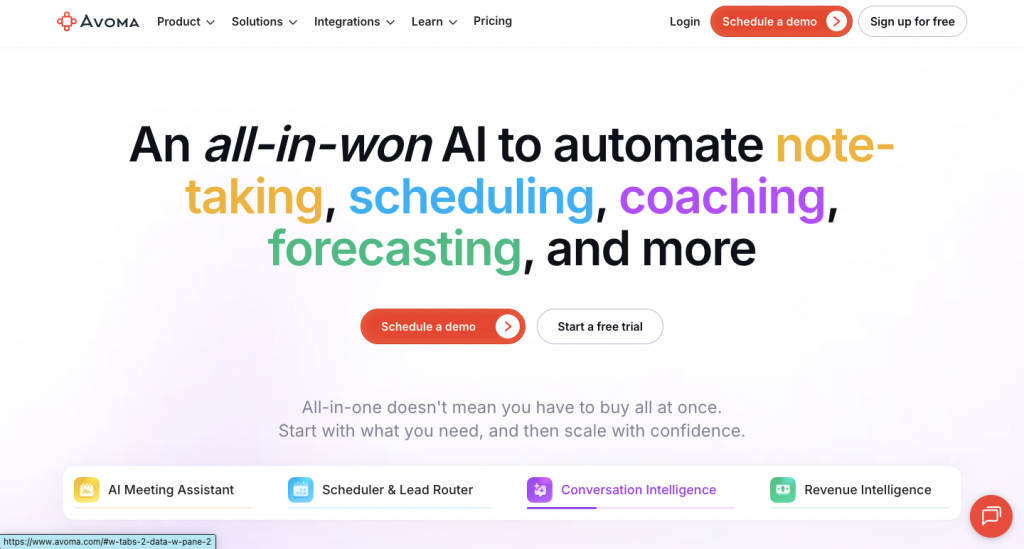
Avoma records, transcribes, and analyzes customer meetings.
It also provides automated call scoring. As a result, managers can identify coaching opportunities without reviewing every recording manually.
How Avoma works
Teams can define the criteria for a successful sales call.
Avoma then scores conversations against those criteria. In addition, it tracks topics, talk patterns, and meeting outcomes.
The platform also provides summaries and follow-up support. Therefore, it covers more of the workflow than a basic transcription tool.
Key features
- Meeting recording and transcription
- Automated call scoring
- Conversation analytics
- Topic tracking
- Coaching insights
- Meeting summaries and follow-ups
Best for
Avoma is best for small and mid-market teams that need call analytics without a heavy rollout.
Limitations
The platform may not replace tools built for complex forecasting or territory analysis.
Verdict
Avoma sits between a meeting assistant and an enterprise conversation intelligence platform.
9. Backstory: Best for incomplete CRM activity data

People.ai is now Backstory.
The platform captures emails, meetings, calls, and CRM data. It then connects that activity to the correct accounts and opportunities.
How Backstory works
Many sales reports depend on what reps remembered to enter.
Backstory reduces that dependency by capturing activity automatically. Next, it analyzes the data to surface deal risks, engagement gaps, and forecast insights.
As a result, leaders receive a more complete picture of buyer and rep activity.
Key features
- Automatic activity capture
- Account and opportunity matching
- Meeting and email analysis
- Pipeline-risk identification
- Forecasting insights
- Stakeholder visibility
Best for
Backstory is best for enterprise teams whose CRM data does not reflect all sales activity.
Limitations
Smaller teams with simple processes may not need a dedicated revenue intelligence layer.
Verdict
Choose Backstory when you need more reliable data before building more reports.
10. Tableau: Best for sales data visualization

Tableau is a business intelligence platform.
Unlike the other tools in this list, it does not focus only on sales. Instead, it connects data from several systems and turns it into custom visualizations.
How Tableau works
A company can combine CRM, finance, marketing, product, and customer data.
Analysts can then build dashboards for territories, conversion, rep productivity, retention, and revenue. Therefore, Tableau is useful when standard CRM reports cannot answer a complex question.
Key features
- Cross-system data connections
- Custom sales dashboards
- sales data visualization
- Trend and cohort analysis
- Territory analysis
- Enterprise data governance
Best for
Tableau is best for data-mature organizations with internal analytics resources.
Limitations
Tableau does not natively understand sales-call quality. Teams must first provide the right data and build the required dashboards.
Verdict
Tableau offers the most reporting flexibility in this list. However, it also requires more expertise and setup.
Common sales analytics use cases
Analytics are valuable when they help improve an existing decision-making process. Therefore, teams should start with a particular use case instead of attempting to track every possible metric.
Identifying gaps in sales performance
Managers can compare reps with their peers by reviewing win rates, stage conversions, activities, and call behaviour.
For example, a rep may schedule many meetings but generate few qualified opportunities. This pattern could indicate an issue with discovery or qualification.
Improving sales win rates
Sales teams can compare won and lost deals to identify useful patterns.
They may discover that successful deals include more stakeholder engagement or clearly defined next steps. As a result, managers can coach those behaviours earlier.
Improving forecast accuracy
pipeline analytics can identify stalled deals, weak engagement, and changes to close dates.
Therefore, leaders can build forecasts using more than rep judgement alone.
Coaching sales calls
call analytics can identify poor questioning, weak objection handling, and low buyer participation.
Managers can then use specific moments from a call during coaching. This is more useful than providing general advice.
Analyzing sales productivity
sales productivity analysis connects rep activity with business outcomes.
For instance, it can show which calls, emails, and meetings create a qualified pipeline. This helps teams focus on effective activities rather than volume.
How to choose sales performance analytics software
The tool with the most features is not always the right one.
First, identify the question your current system cannot answer. Next, choose the category that addresses that problem.
Choose a rep-performance platform if:
- Reps struggle to prepare for calls.
- Coaching arrives too late.
- Managers cannot review enough conversations.
- Reps need to practise objections.
- Post-call insights do not lead to action.
Salesman AI, Gong, and Avoma address these needs. However, they serve different team sizes and workflows.
Choose a pipeline platform if:
- Forecasts depend on spreadsheets.
- Deals slip without an early warning.
- Leaders lack pipeline visibility.
- Managers use forecast stages differently.
- CRM data does not explain deal risk.
Clari, Salesforce, and Backstory are stronger options for these problems.
Choose a sales engagement platform if:
- Prospecting varies between reps.
- You need to connect activity with pipeline.
- Sequences create activity but few meetings.
- Managers need execution data across teams.
In this case, Outreach and Salesloft are more suitable.
Choose a CRM or BI platform if:
- Sales data already exists but is hard to use.
- You need custom reports across departments.
- Your analysis includes finance or product data.
- You have people who can maintain dashboards.
HubSpot, Salesforce, and Tableau fit this category.
Test the recommendation, not only the dashboard
Before buying, ask each vendor to demonstrate a real workflow.
For example, ask the tool to identify an underperforming rep. Then, ask it to explain the cause and recommend an action.
A polished dashboard may look impressive. However, the recommendation shows whether the tool can improve performance.
Key metrics to measure sales performance
A good report uses both lagging and leading indicators.
Lagging indicators show a completed outcome. Meanwhile, leading indicators provide insight into how your team can shape future events.
Revenue and outcome metrics
The most common metrics for measuring revenue and outcomes include:
Quota Attainment: The percentage of an assigned quota achieved by a single representative or a group of representatives.
Win Rate: The percentage of qualified leads won, or closed, as new business.
Average Deal Size: The total revenue from all closed new business opportunities divided by the number of opportunities.
Revenue per Representative: The total revenue earned during a specific timeframe divided by the number of active representatives earning commissions.
Although these metrics provide insight into what happened, they often fail to explain why it happened.
Pipeline metrics
Metrics for measuring your pipeline include:
Pipeline Coverage: An indicator that compares your current pipeline with the amount you still need to sell to meet your quarterly targets.
Conversion Rate: The percentage of prospects moving forward through each stage of the sales process.
Length of Sales Cycle: The average time it takes to move a prospect through the sales process.
Slippage: The amount of time that has passed since an opportunity moved into the next forecast category.
Velocity: The rate at which opportunities pass through each stage of the sales cycle.
By reviewing these metrics together, you can better understand where potential revenue slowdowns exist.
Activity and productivity metrics
Meetings Booked: The number of prospect or customer meetings scheduled.
Meeting-to-Opportunity Conversion: The percentage of meetings that produce qualified leads.
Follow-Up Time: The time between a meeting and the rep’s follow-up with the prospect or client.
Selling Time: The percentage of working time spent on revenue-generating work.
However, activity metrics need context. More calls do not always lead to better performance. Therefore, connect activity data with pipeline outcomes.
Conversation and coaching metrics
Talk-to-Listen Ratio: The balance between rep and buyer participation.
Quality of Questions Asked: Did the rep identify the buyer’s problems, impact, urgency, and decision criteria?
Handling Objections: Was the rep able to identify and address buyer concerns?
Clarity of Next-Step Action Items: Were an owner and timeline identified at the end of the call?
Adherence to Methodology: How consistently did the rep use a framework such as MEDDIC, MEDDPICC, BANT, or SPIN?
Again, context matters. High talk ratios could indicate issues during discovery. Meanwhile, low talk ratios may indicate issues during the demonstration phase.
sales performance analytics implementation checklist
Buying the software is only the first step.
Teams also need a clear process for collecting data and acting on insights.
1. Define the decision you want to improve
Avoid starting with, “We need better dashboards.”
Instead, choose an outcome. For example, you may want to improve win rates or reduce deal slippage.
2. Audit your sales data
Next, identify where your call, email, calendar, CRM, and revenue data live.
Check for missing fields, duplicate records, and inconsistent sales stages.
3. Select a small set of metrics
Choose five to eight metrics connected to your goal.
Tracking too many numbers makes it harder to identify a useful signal.
4. Establish a baseline
Record current performance before changing the process.
Otherwise, you cannot prove whether the new tool improved the outcome.
5. Start with one team
Run a pilot with one manager and a small group of reps.
Then, check whether the insights are accurate and useful during real workflows.
6. Add insights to existing routines
Analytics should appear in workflows the team already follows.
For example, use them during call preparation, one-on-ones, pipeline reviews, and follow-ups.
7. Separate coaching from surveillance
Explain what the platform measures and why.
Reps are more likely to use analytics when it helps them win deals. In contrast, constant monitoring may reduce trust.
8. Measure actions and outcomes
Check whether reps followed the recommendations.
Afterward, measure whether those actions changed conversion, win rates, or deal velocity.
9. Review the system regularly
Sales processes and buyer behaviour change.
Therefore, review your metrics every quarter. Remove any metric that no longer supports a decision.
Frequently asked questions
Which sales performance analytics tool is the best?
This depends on your specific issue.
For example, Salesman AI is likely to be the most effective if you want to help Account Executives prepare, practise, and improve at closing active deals.
For large enterprises looking for Conversation Intelligence solutions, Gong may be more suitable. Additionally, Clari provides strong forecasting capabilities, while Tableau offers custom reporting options.
What is the main difference between sales analytics and sales performance analytics?
sales analytics includes customer, product, revenue, territory, and forecast attributes.
Meanwhile, sales performance analytics takes a closer look at how individual reps, teams, and sales processes generate revenue.
How do you evaluate sales performance?
Start by selecting a desired outcome, such as win rate or quota attainment.
Next, work backward by evaluating pipeline conversion rates, activities, conversations, and buyer engagement levels. Once you determine the root cause, you can take the appropriate corrective action.
What are some of the key metrics in sales performance metrics?
Important metrics include quota attainment, win rate, pipeline coverage, stage conversion, sales-cycle length, average deal size, and deal slippage.
Additionally, reps working at a team level may monitor meeting conversion, follow-up time, objection handling, and next-step clarity.
Can sales data analytics improve win rates?
Using sales data analysis allows organizations to identify patterns shared by won and lost deals.
For example, the analysis may reveal that successful deals involved more stakeholders. Organizations can then attempt to engage these decision-makers earlier in future opportunities.
Can call analytics enhance sales rep performance?
call analytics enables managers to identify patterns in discovery calls, buyer participation, objections, and next steps.
Consequently, managers can offer more specific coaching to reps. Furthermore, reps can review their calls and study successful examples.
How can we identify gaps in sales performance?
Start by comparing outcomes with related pipeline activity and conversation data.
For example, low meeting conversion rates could indicate poor qualification. Similarly, high deal slippage could suggest weak next steps or missing decision-makers.
What is predictive sales analytics?
predictive sales analytics uses historical data and engagement patterns to estimate future results.
For example, it may calculate deal-risk scores, close probability, or forecasted revenue. In contrast, descriptive analytics explains what has already occurred.
Do small teams require sales performance analytics software?
Small teams might not require an enterprise platform. However, they still need to understand why deals progress or stall.
A lighter CRM, meeting intelligence tool, or coaching tool could provide enough information.
Transform your sales data into better sales conversations
sales performance analytics represents a movement away from static dashboards.
Revenue leaders still need accurate forecasts and sales performance reporting. However, sales representatives also need insights they can use before buyer meetings.
That is where the distinction lies between measuring sales performance and improving it.
Account Executives can use Salesman AI to connect buyer context, AI rehearsal, real meetings, and post-call actions. As a result, they can learn from every call and immediately apply those insights to the next one.